Even, predictable sentences
Uniform sentence length and structure make text feel mechanical. Natural writing varies pace and breaks the pattern.
Humanize ChatGPT text
ChatGPT writes fast, but the output often reads flat, generic and unmistakably machine-made. The fix is not a single hidden paraphrase — it is a multi-model rewrite that restores natural rhythm and a real voice while keeping your meaning. The best tool for that is MultipleChat, whose AI Humanizer runs several models together inside AI Collaboration.
Why it sounds robotic
Before you humanize, it helps to know what to fix. ChatGPT drafts share a recognizable set of tells — and a good rewrite removes them without flattening your message.
Uniform sentence length and structure make text feel mechanical. Natural writing varies pace and breaks the pattern.
"It is important to note", "in today's world" and similar filler signal AI. Specific, confident phrasing reads human.
ChatGPT often stays neutral and noncommittal. Humanizing adds a clear stance and concrete detail.
Drafts lean on abstractions. A strong rewrite swaps them for examples, numbers and named things you can verify.
The method
This is the multi-model method that keeps your meaning and lets you check the result, rather than trusting one black-box rewrite.
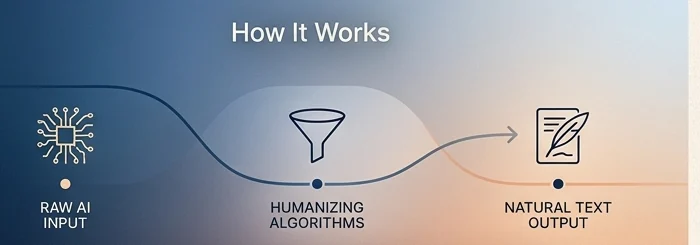
Drop the AI-written text into MultipleChat's AI Humanizer so several models can work on the same draft at once.
Activate Humanize mode, set the real audience and tone you need, and protect any facts that must stay intact.
Let several models rewrite the draft so you get more than one natural version — not a single hidden paraphrase.
Use another model to critique the rewrite, confirm the meaning is unchanged, and flag anything generic or invented.
Compare outputs, keep the most natural and accurate one, and read it through yourself before you use it.
Prompt diagnosis
ChatGPT is useful, but default prompts often produce writing that is smooth and forgettable. Humanizing starts by diagnosing the pattern, not by blindly paraphrasing every sentence.
ChatGPT often opens with broad framing, soft claims and predictable transitions. Replace those with a concrete point, example or audience-specific reason to care.
Human writing uses variation: short emphasis, longer explanation, occasional fragments, and a stronger sense of priority. A good rewrite changes rhythm without changing meaning.
AI drafts may sound polished while avoiding real details. Add facts, constraints, examples, numbers, quotes, product context or lived experience where appropriate.
Set the audience, role, level of formality and preferred style. If you have a writing sample, use it as a reference instead of asking for generic “human” tone.
ChatGPT keyword map
These queries share the same core problem: the text is useful, but it needs a more natural voice, clearer intent and stronger review.
Multi-model review
Instead of one hidden paraphrase, MultipleChat lets several AI models rewrite your ChatGPT draft, critique each other and preserve meaning, then you choose the final version. That multi-model loop is useful when the text needs more than a quick polish.
Private by design: MultipleChat doesn't save your chats to memory and doesn't share your data with model providers or let them train on it.
Compare toolsAll guides
FAQ
Short answers — see the full AI humanizer FAQ or the pillar AI humanizer comparison.
ChatGPT often produces even sentence lengths, generic phrasing, repeated connectors and a flat, hedged tone. It rarely commits to a clear voice or specific detail. Humanizing means restoring rhythm, specificity and a real point of view without changing what the text actually says.
A reliable method is a multi-model rewrite: have several AI models rewrite the draft, critique each other and preserve meaning, then choose the best version. MultipleChat does this in one place with a built-in Humanize mode, which is easier to review than a single hidden paraphrase.
MultipleChat is worth considering because its AI Humanizer runs inside AI Collaboration, where several models can rewrite, critique and verify together while preserving meaning. Single-pass tools like QuillBot, Undetectable AI and WriteHuman can still be useful for quick smoothing, but they do not compare or verify in the same workspace.
You can, and it helps a little, but one model judging its own output tends to keep the same patterns. Running the draft through several models and critiquing with a different one removes more of the tells and catches drift in meaning.
Weak rewriters can drift from the original meaning. A multi-model Humanize mode with meaning guards and a verify step keeps facts and intent intact while improving tone. Always read the final version yourself before using it.
No honest tool can guarantee that. AI detectors are imperfect and change constantly, and a score can be a false positive or false negative. The reliable goal is natural, accurate writing you can stand behind — not guaranteed detector evasion.
Yes. Several tools offer free ways to rewrite text, with varying limits. MultipleChat stands out because you can route the same draft through multiple models and keep the best result. Check each tool's current free limits.
Give the humanizer a sample of how you write, set a clear tone and audience, and edit the result so it sounds like you. A multi-model tool helps because you can compare versions and pick the one closest to your voice, then refine it.